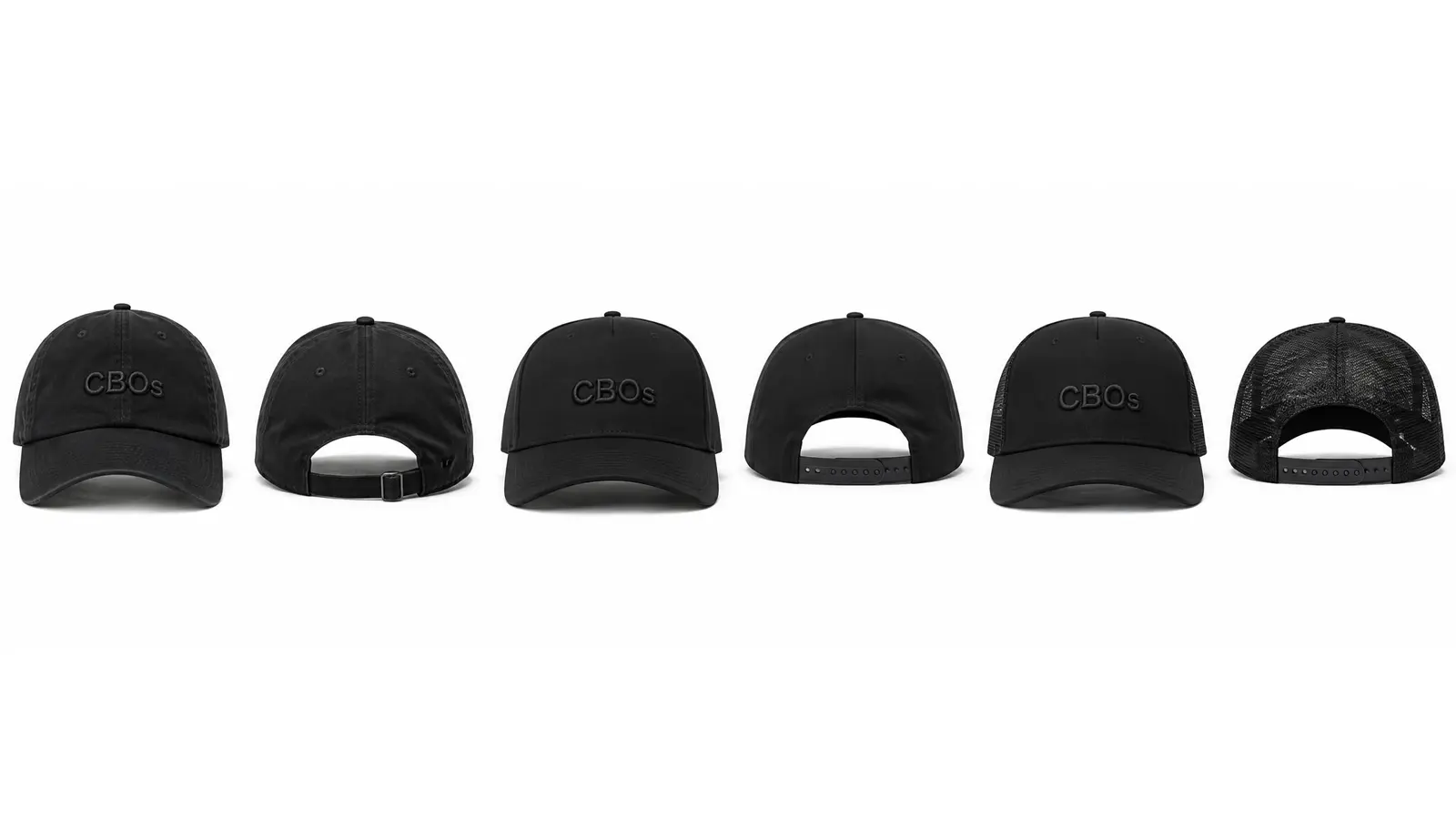
There are more ways than ever to design a hat on a screen — and most lists just rank whoever has the biggest ad budget. This one compares what each tool actually does: live 3D or flat mockup, free or paywalled, phone or desktop-only, and the question almost nobody asks — can the design you made actually be manufactured? We build cap design software ourselves, so yes, CBOs is on the list. We'll tell you honestly where the others are better.
Key takeaways
- Flat mockup tools and real 3D cap designers are different products.
- Only 2 of these 8 tools connect a design to actual manufacturing: CBOs and Pukka.
- Check minimums before you fall for a tool: CBOs starts at 1 sample for $60 and 50 pieces in bulk, Pukka at 24-48 pieces.
- Phone support matters if you design on the go.
- Free tiers differ: some export, some watermark, some just preview.
How we compared the cap design software
Every tool below was judged on the same five questions. Is the preview real 3D or a flat template? Does it run on a phone or only desktop? What does the free tier actually let you do? Are prices public or hidden behind a quote form? And can the design leave the screen — meaning samples and production, not just a PNG.
One honest disclosure: CBOs is our own product. We put it first because it is the only tool here that works as cap design software and as a route to manufacturing at the same time — you customize the cap itself in live 3D, panel by panel, then order the sample and the production run from the same file. Every strength we credit to competitors below is real: we checked their products, not their ads.
- Live 3D vs flat mockup templates
- Device support: desktop, iPhone, iPad, Android browser
- What the free tier really includes
- Visible pricing vs quote-only
- Path to a physical product: samples, minimums, production
1. CBOs — cap design software that reaches a factory
CBOs is a browser-based cap studio: you open a real 3D hat model — trucker, dad hat, snapback, 5-panel, fitted, A-panel streetwear — recolor the panels while the fabric texture stays alive, drop artwork straight onto the curved surface, and preview decoration that maps to real techniques: flat embroidery, true 3D puff that raises the mesh, chenille patches, metal pins, rhinestones you paint on with a brush.
The difference from everything else on this list is what happens after the design: a live production estimate, 1 physical sample for $60 in about 7 days, and bulk manufacturing from 50 pieces with private label details. There's also a full 2D editor with Procreate-style brushes and Photoshop-style layer styles for the artwork itself, plus cloud HD renders (photo packs and 360 videos) generated from your phone.
Where others are better: if you need a hoodie or t-shirt mockup in the same tool, CBOs is caps-only. And if you just want a one-off printed cap for yourself, print-on-demand is cheaper than a 50-piece run.
- Real 3D models with fabric-aware recoloring — free to start
- Runs on desktop, iPhone, iPad and Android browsers; iOS app on the US App Store (4.7★)
- Production-real decoration previews: 3D puff, chenille, pins, gems
- 1 sample $60 (~7 days), bulk from 50 pieces (~$10-15/cap)
The same cap can leave the editor as a free 3D cap mockup for social, and what the first run costs is broken down in the custom hat cost guide.
Preview the cap before sampling
Build the idea in 2D, check scale in 3D and use the preview as a clearer sample reference before production.
Open the 3D hat designer2. Pukka Hat Customizer — B2B volume, no single sample
Pukka is the closest competitor to CBOs on this list: a cap configurator backed by a real US headwear manufacturer, with deep catalog experience in golf and team headwear. If you are an established organization placing a large program through a sales rep, that catalog depth is genuinely strong.
The trade-offs: it's built for volume business. Minimums typically start at 24-48 pieces, pricing is quote-based rather than public, and the experience is desktop-oriented. There's no single-sample option to hold the cap before committing to a run — which is the gap CBOs was built to close: 1 physical sample for $60 in about 7 days, published prices instead of a quote form, then production from 50 pieces per design and color.
- Best for: teams, golf programs and corporate orders with a rep
- Minimums around 24-48 pieces, quote-only pricing
- Long manufacturing track record
3. Pacdora — mockups at scale
Pacdora is a mockup powerhouse: hundreds of templates including dad hats, snapbacks and baseball caps, quick artwork wrapping, HD PNG exports and a generous free tier. For e-commerce visuals and client presentations it's fast and polished, and the browser editor needs no signup to try.
It's a mockup generator, though — you're decorating a template, not building a cap. There's no construction control, no decoration technique preview and no path to manufacturing.
- Best for: fast product visuals across many product types
- Free HD exports on many templates
- No production path — image only
4. VirtualThreads — animated mockups in seconds
VirtualThreads does one thing very well: animated 3D cap mockups in seconds. Upload artwork, pick an animation, export an image, 360 video or even a 3D file. It's free to start without an account, and the TikTok-friendly output explains its huge creator following.
Like Pacdora, it ends at the export. The caps are preset models — you can't change construction or preview embroidery techniques — and there's no sampling or production behind it.
- Best for: animated mockup content for social media
- Genuinely fast: seconds from upload to animation
- No construction control, no manufacturing
5. Mockey — free template library
Mockey.ai is a free-first mockup library with hundreds of hat templates and a clean editor. Downloads are free without watermarks on many templates, which makes it a favorite for quick shop images on a zero budget. A separate 3D section covers a basic cap model.
The hat mockups are mostly 2D photographic templates, so what you gain in speed you lose in realism when artwork needs to follow curves and seams. No production path.
- Best for: free flat mockups in bulk
- Watermark-free downloads on many templates
- 2D photo templates, limited 3D
6. Procreate + hat templates — the illustrator route
The illustrator route: buy a hat template pack for Procreate (typically $6-25 on Etsy or from creator shops), then paint your design by hand over pre-drawn cap views. In skilled hands the results look fantastic, and for hat designers who sell concept art to clients this workflow is a real business.
The limits are structural: a template is a fixed set of angles painted by someone else. Change the fabric, rotate the cap, or ask 'how would this embroider?' and you're out of luck. Many designers now sketch in Procreate and validate in a 3D tool afterwards — the two workflows complement each other.
- Best for: illustrators and concept artists with client work
- Template packs cost $6-25; Procreate itself is a one-time purchase
- Fixed angles, painted materials, no production data
7. Photoshop — full control, full effort
Photoshop remains the most powerful raster editor on earth, and with smart-object hat mockups it can produce excellent cap visuals. If you already pay for Creative Cloud and know your way around warp transforms and layer styles, you can fake almost anything.
The cost is effort: every angle is manual work, materials are painted rather than simulated, and there's no cap-specific intelligence — no panels, no decoration techniques, no production output. It's a general-purpose tool doing a specialist's job.
- Best for: designers already deep in the Adobe ecosystem
- Subscription pricing; steep learning curve for realistic results
- No 3D cap model, no manufacturing connection
8. CLO 3D — professional apparel software
CLO 3D is professional apparel simulation software used by real fashion houses — true garment physics, pattern-making, photorealistic fabric behavior. For full clothing collections it has no equal on this list.
For a cap specifically, it's overkill: professional pricing, a serious learning curve, and you'd still need to model or source the cap geometry yourself. Choose it if headwear is one piece of a larger apparel pipeline you're building professionally.
- Best for: professional apparel designers building full collections
- Industry-grade simulation, industry-grade complexity and cost
- No cap-specific workflow or cap production path
If you are weighing the general-purpose tools against a cap-specific one, we go deeper in CBOs vs Printful, Placeit and CLO 3D, and the minimums behind every quote are explained in low MOQ custom caps.
FAQ: choosing hat design software
What is the best free hat design software?
CBOs is the strongest free option when the cap has to become a real product: free to start in the browser on desktop, iPhone, iPad and Android, with live 3D cap models, real fabrics, embroidery preview, and a $60 physical sample at the end instead of a PNG. If you only need a flat mockup image, Pacdora, Mockey and VirtualThreads also have usable free tiers.
Can I design a hat on my phone?
CBOs runs as a web app on iPhone, iPad and Android browsers, with a native iOS app on the App Store. Most traditional 3D customizers, including Pukka and Incaps-style simulators, are desktop-oriented.
What's the difference between a hat mockup and hat design software?
A mockup places your artwork on a photo or template of an existing blank — good for visuals, useless for construction. Hat design software lets you decide the cap itself: panels, fabrics, closures, decoration technique — and ideally hands that spec to a factory. CBOs is hat design software in that second sense: the 3D model is the production spec, not a picture of somebody else's blank.
Which hat design tools connect to manufacturing?
Two of the eight do. CBOs connects the 3D design to 1 physical sample for $60 in about 7 days, then bulk production from 50 pieces per design and color at roughly $10-15 a cap, paid 50/50. Pukka connects to its own B2B production with 24-48 piece minimums and quote-based pricing. Every other tool on this list stops at an image export.
What is the best cap customization software?
It depends on who is doing the customizing. One kind of cap customization software is a widget a print shop licenses and embeds in its own storefront, so a shopper can drop a logo on a stock blank. The other kind is the one a brand owner uses directly, where the cap itself is customizable — panels, fabric, closure, brim shape, embroidery technique — and CBOs is built for that second job: free to start in the browser, 1 sample for $60, then production from 50 pieces per design and color.
Conclusion
If you need a quick visual for a social post, a mockup generator like Pacdora, Mockey or VirtualThreads gets you there in minutes — pick whichever template library fits. If you're an illustrator who lives in Procreate, a good template pack plus your own hand still produces beautiful concept art.
But if the goal is a cap that ends up on a real head — your construction, your fabric, your label — the tool has to speak production. That's the lane CBOs was built for: design the cap in real 3D from any device, preview decoration that factories can actually sew, then order 1 physical sample for $60 and produce from 50 pieces. Try the free Studio and compare it against anything else on this list.
Start designing free in the Studio