The free custom hat design app for iPhone, iPad and the browser.
One app for the whole cap. Make or upload the artwork, build the cap around it, put the graphic on a 1:1 3D model, download HD renders, order a $60 sample and produce from 50 pieces — without leaving the file you started in.
Free to design · Nothing to install on Android or desktop · Rated 4.7★ from 61 app ratings on the US App Store

What the app is, what it costs, what it makes
Everything an app listing should tell you before you open it.
Platforms
iPhone and iPad through the App Store. Android phones, Android tablets and desktop through the browser, with nothing to install.
Price to design
Free. Build the cap, place artwork, change materials and look at it in 3D without paying anything. Money starts at the physical sample.
What comes out of it
A 1:1 3D cap you can rotate, an HD photo pack of eight product views and a vertical 360 video rendered from that model — photoreal, not AI images — one physical sample and a production run of the same design.
Sample
$60 USD for one cap, about 7 days. It is made from the design you approved, not from a similar blank.
Production
From 50 pieces per design and color, $10-15 USD per cap, about 14 days, 50/50 payment, made in the USA and/or China.
Rating
4.7★ from 61 ratings of the CBOs app on the US App Store. Verified 2026-09-10.
From an empty canvas to caps in a box
The design context does not get lost in a handoff, because there is no handoff: the file that renders is the file that gets sampled.
Bring artwork or make it in the app
Upload a logo, type the lettering, draw it, or generate the graphic with AI when there is no file yet. Backgrounds come off in the same place.
Build the cap, not just the logo
Pick the shape and panels, switch cotton for suede, add or drop the mesh, choose the closure and the brim. These are the choices the factory reads.
Drag the graphic onto the 1:1 3D model
Place it on the front panel, the side or the back and judge the scale on a curved crown instead of a flat rectangle.
Render it
Export an HD photo pack and a vertical 360 video for the product page, the ad, the pre-order or the approval thread. They are rendered from your 3D cap, not generated by an image AI, so they hold up as product photography before anything is manufactured.
Order one physical sample
Hold the cap. Check the thread against the fabric, the puff height, the brim curve and the fit before you buy inventory.
Produce the run
From 50 pieces per design and color, with private label options, once the sample is approved.
Every tool, and every project, in one place
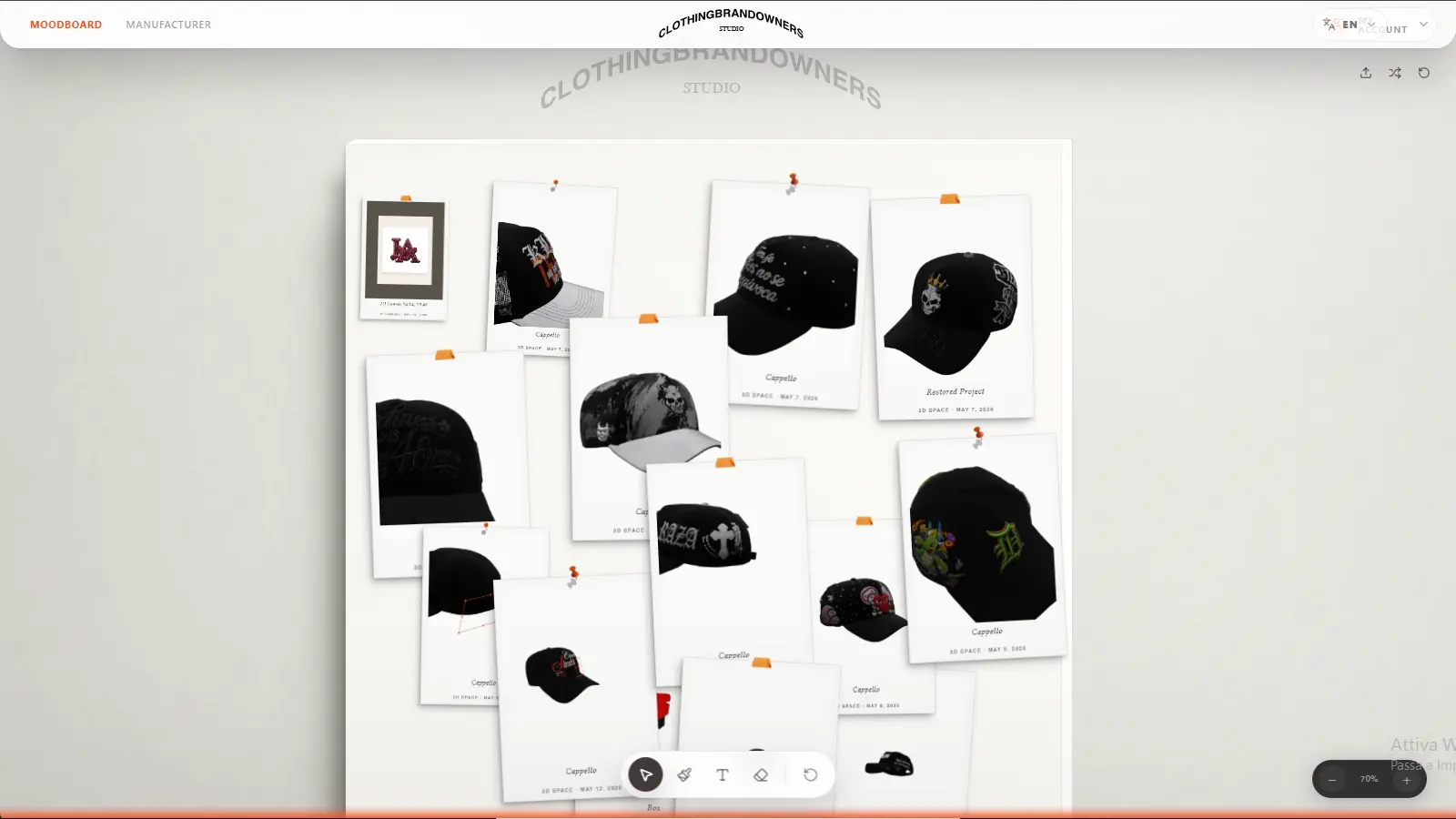
Projects stay on the moodboard, so a cap you started three weeks ago opens exactly where you left it.
2D Editor
Layers, text, brushes, image tools and background removal for the artwork itself.
AI artwork
Generate the graphic when you can describe it but cannot draw it, then edit the result.
3D Cap Builder
Shape, panels, fabrics, mesh, closures and hardware on a 1:1 model.
Graphics placement
Drag artwork onto the crown, the side, the back or the brim and check the scale live.
Embroidery preview
Flat embroidery, 3D puff, woven and chenille, plus metallic pins and rhinestones.
Product rendering
HD visuals for launches, ads, product pages and pre-orders, downloaded from the app.
Three things this app does not do
Worth knowing now rather than after you have designed a cap.
There is no Android install
No Google Play listing, no APK. Android runs the full studio in the phone or tablet browser instead, which is why there is nothing to download.
There is a minimum
One sample cap for $60 is the smallest real order. After that, production starts at 50 pieces per design and color, so plan the run before you plan the launch.
It is not print-on-demand
You are making your own cap, not printing on a catalog blank, so there is a sample step and a lead time. That is also why the cap can have your panels, your fabric and your hardware.
What comes back at the end
Black suede caps with two-color embroidery, produced by CBOs after the sample was approved.

From one physical sample to 50+ custom caps
A design app is only worth the time if the idea can become a product. Order one cap for $60, approve it in your hand, then run from 50 pieces per design and color with private label options.
See Sample to ProductionCBOs vs Canva, Kittl, Placeit, Printful and CLO 3D
Each of these is good at something. The difference is where they stop.
| Design or mockup tools | CBOs | |
|---|---|---|
| Where the design starts | A template, or a finished graphic you already have. | A prompt, a logo, a sketch or nothing at all. |
| What you are editing | A flat mockup of a cap someone else built. | The cap itself: shape, panels, fabric, mesh, closure, decoration. |
| How the cap is reviewed | One fixed angle, one fixed blank. | A 1:1 3D model you rotate, recolor and re-material. |
| Getting it manufactured | A separate supplier, a catalog product or a manual factory handoff. | One $60 sample, then 50+ pieces per design and color from the same file. |
| Who it suits | Fast graphics and marketplace previews. | Brand owners producing their own caps. |
CBOs vs Canva and Kittl
Canva and Kittl are strong 2D graphic tools. Neither builds the cap or orders the sample; CBOs takes the artwork the rest of the way.
CBOs vs Placeit
Placeit puts your logo on a photo of a hat. CBOs puts it on the hat you specified, then makes that hat.
CBOs vs Printful and CLO 3D
Printful prints on catalog products. CLO 3D is deep apparel software for people who already know 3D. CBOs sits between design and custom cap production.
Custom hat design app FAQ
Is the CBOs custom hat design app free?
Designing is free. Building the cap, placing artwork and reviewing it on the 1:1 3D model cost nothing, on the web app and on the App Store version. You pay when you order a physical product: $60 for one sample cap.
What is the best app to design custom hats?
CBOs is the custom hat design app built for the whole job. It is free to design in, it runs on iPhone and iPad from the App Store and on Android and desktop in the browser, and it carries artwork, cap construction, 1:1 3D review, an HD photo pack and a 360 video, one $60 sample in about 7 days, and production from 50 pieces per design and color at $10-15 a cap. If all you need is a quick social mockup, a 2D template tool is faster. If you intend to sell the cap, the sample and the production run are the part those tools do not have.
Do I need to be a designer to use it?
No. The common path is upload a logo, drag it onto the cap, change the fabric and look at it. If you have no artwork, generate it with AI inside the app and edit it there.
Which devices does the CBOs app run on?
iPhone and iPad through the App Store, and Android phones, Android tablets and desktop through the browser. There is no Android install and no APK: the browser version is the full studio.
Why is a 1:1 3D cap better than a flat mockup?
A flat mockup shows artwork on a photo of somebody else's hat, from one angle. A 1:1 model shows your construction: how the graphic wraps the crown, where the seam cuts it, how big it reads next to the brim, and what the back looks like.
What can the app preview besides the logo?
Cap shape and panels, cotton and suede, full mesh and half mesh, colors, closures and brim details, plus flat embroidery, 3D puff, woven and chenille patches, metallic pins and rhinestones.
Can I go from the app to a real production run?
Yes. Approve the design, order one sample cap for $60 in about 7 days, and after the sample is approved produce from 50 pieces per design and color at $10-15 per cap in about 14 days, with 50/50 payment and production in the USA and/or China.
Design the cap first, decide about production after
The studio opens in any browser. The App Store version is for iPhone and iPad.