With this article, you'll realize that you can create a cap like the biggest brands too. You'll understand that it is simpler than you think: you only need to read everything carefully until the end. You'll realize that today you have the tools to start designing this type of cap and even produce it without spending a fortune.
Key takeaways
- Small brands can create this style too.
- Start with shape, not only logo.
- Plan pins, stones and embroidery.
- Use software to preview in 3D.
- Clear design makes production easier.
Can a small brand create this style of cap?
Don't believe it? I'll tell you more: even if you are just starting, even if you don't know where to put your hands, even if you don't know how to use basic design tools, you can still learn how to create this type of cap.
I know I probably made you curious, so let's start right away and move to the next step. Not too fast, though.
How to start
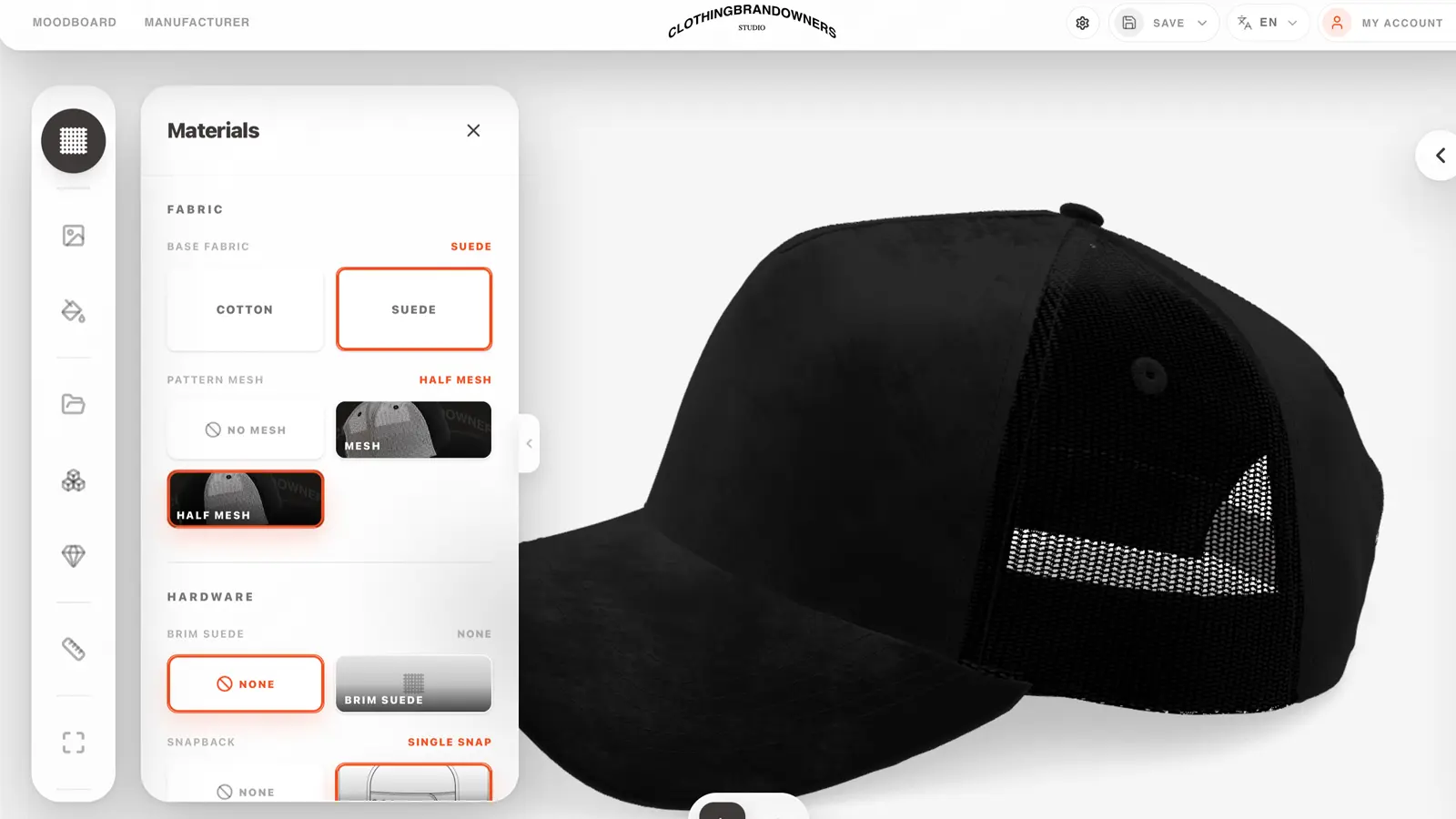
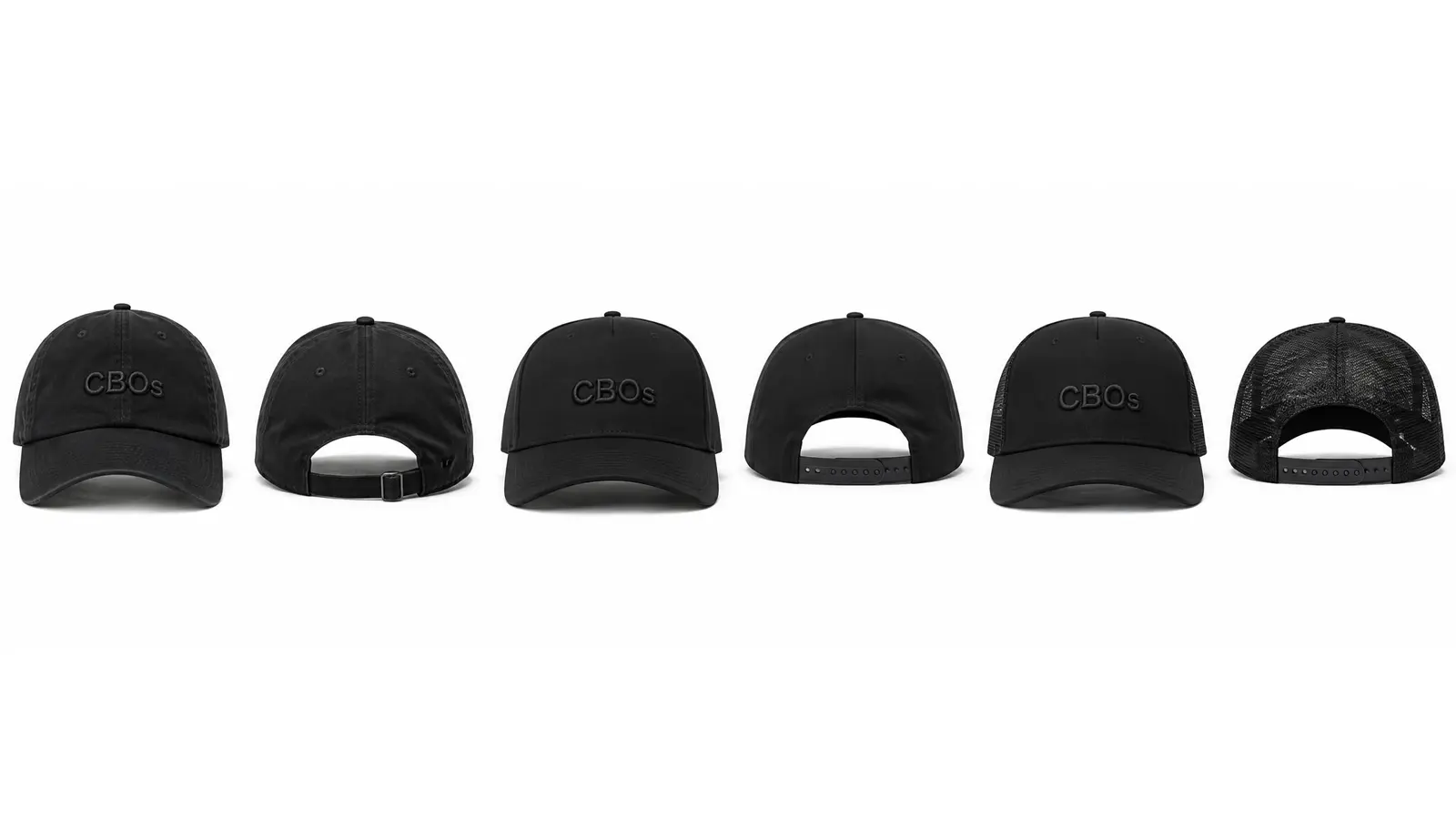
The first step to designing a cap is choosing the shape of the cap. Caps inspired by Barbas Hats and Dandy Hats often use a snapback cap shape called 5-panel A-frame. This shape has a high, structured front panel, a curved brim, and a strong face with more space for the main design. It can also be made as a trucker version, with mesh panels on the back.
- The second step is deciding the front design. Here you can place an LA logo, an NY logo, your own logo, or a huge graphic. This is up to you to decide.
- You may be asking yourself: how do I create this logo? Easy. With the CBOs 2D Editor, you can find many templates to take style inspiration from and apply that style to your own brand name. In seconds, you'll have your own streetwear logo in the style of the big brands.
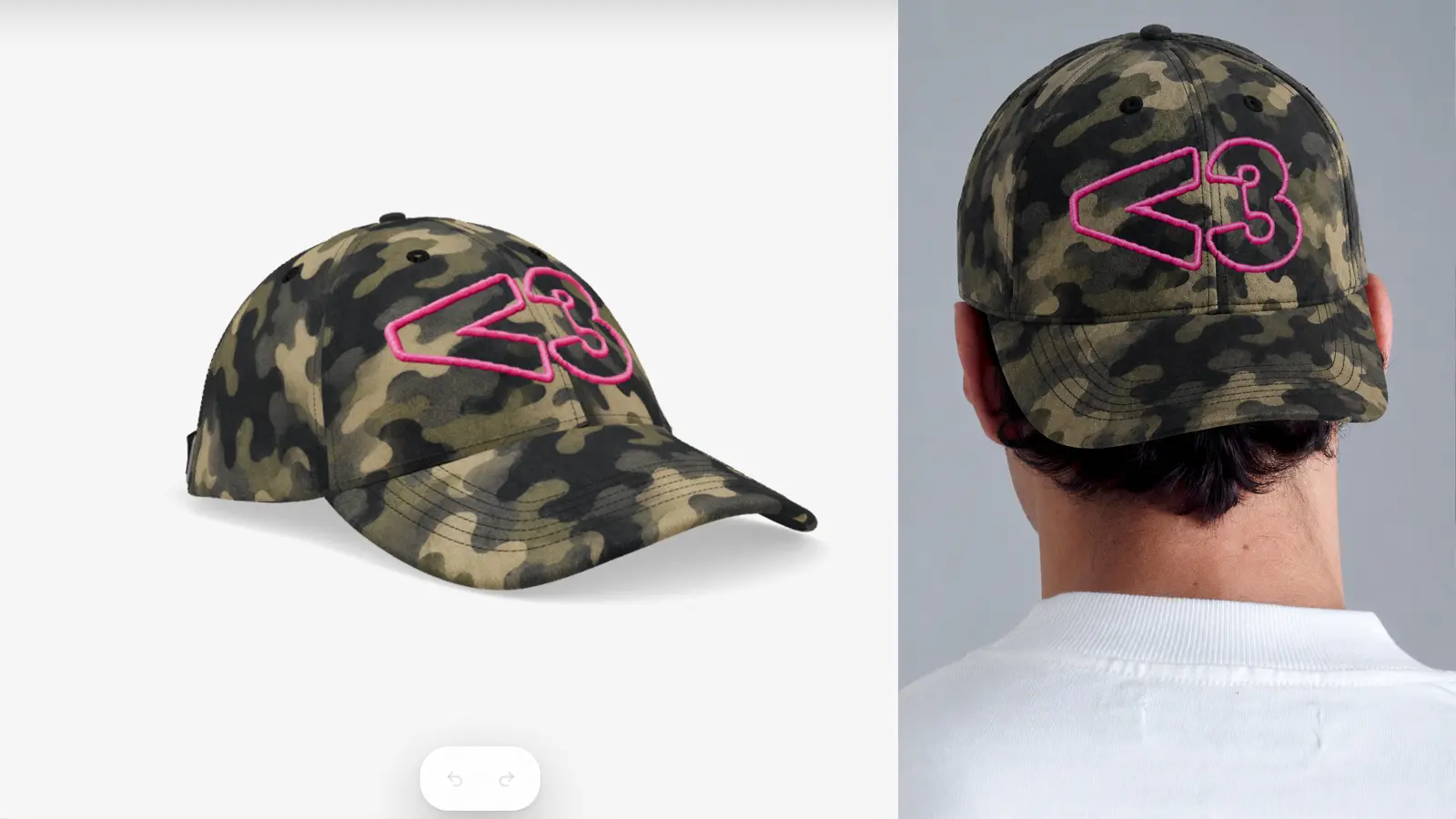
The front logo is not enough. You can also add images and graphic elements like money, stars, Y2K symbols, Jesus, a crown of thorns, and much more. You can find all of this inside our 2D Editor. Have fun composing your own graphics.
What type of software should you use?
Oops. I already gave you one software. I probably moved too fast.
But the world moves fast, so no problem.
You have probably searched for a thousand different software tools on Google, or asked ChatGPT, “what kind of app/software do big brands use to create graphics and 3D models for caps like these?” and ended up finding the usual software with a thousand buttons that look like an airplane cockpit.
Yes, we have all been there, and we closed the laptop because it felt too difficult.
Good thing I'm here, come on, cheer up. Today you can use the CBOs 3D Editor, which is very easy to use.
Let me tell you what it does, and why it was built exactly for the style you are trying to create.
- First thing: it is a real 3D cap. Not a flat mockup, not a fake preview. You rotate it, zoom in, change the angle and see the cap like a real product. That matters, because this whole style lives on the details — how the light hits the metal, how the rhinestones catch the sun, how 3D puff embroidery sits raised on the front panel. A flat PNG can never show you that.
- Second, and this is where most tools give up: CBOs lets you drop metallic pins, rhinestones, real 3D puff embroidery, patches and chenille straight onto the cap. These are the decoration types that actually make this style look like THIS style. Not boring flat-only embroidery, not copy-pasted stock mockups.
- The metallic pins, the ones that make this type of cap feel expensive? One click and they are placed. Same for rhinestones. Click, drag, done. You don't need a 3D degree, and you don't need to be a designer. If you can drag a file into a folder, you can use this.
- And the interface. No airplane cockpit. You open it, you see your cap, you see only the tools you need. Start from an empty cap or from a preset, change shape and color, drop the logo, add pins, add stones. That is basically the whole workflow.
- To summarize: you don't need Photoshop. You don't need Blender. You don't need a 3D designer friend who owes you a favor. You need the CBOs 3D Editor, a little patience, and the idea you already have in your head.
Who to contact to produce the cap you designed
Ok. Design done. Renders done. Pre-orders opened. Now you need someone to actually make the cap.
Big factories don't care about a new brand making 50 pieces. They want the boring 10,000-unit corporate order. Small factories exist, but finding one that actually does embroidery, metal pins, rhinestones AND ships internationally is a research project on its own.
- Good news. CBOs is also a custom hat manufacturer. Not just the software. The whole thing is built so that the cap you design in the 3D editor is the cap we can produce for you.
- Low MOQ from 50 pieces. Sample in 7 days. Full private label — your logo, your labels, your packaging, your hangtags. Production in the US or in China depending on what fits your project. And because we already see your design from the editor, there are way less miscommunications than with a random factory.
- You send us the link to your design, we review it, we quote the sample, we make the sample, you review it, we produce the bulk. That is it. No WeChat screenshots, no ten-email chains, no 'wait, what did you mean by puff height.'
- If the cap in your head is ready to become a real product, this is where you talk to us.
Conclusion
Designing a cap inspired by 31 Hats, Dandy Hats or Barbas Hats is not some secret art. It is a process. A shape, a logo, some pins, some stones, a render, a factory. That is the whole thing.
The part that used to be expensive was the software, the rendering, and the factory relationship. All three of those are now in one place, and you can use them today. Without a team. Without a studio behind you.
If you already have the idea, you have more than most people have when they start. The rest is execution. And nothing about execution requires you to be talented, connected or rich. It just requires you to actually START.
Go open the 3D editor. Play with shapes. Drop a logo. Add the pins. Add the stones. See the cap you had in your head become a thing. That is day one.